Your Personal Operating System in Notion
One place to think, plan, and execute. Stop context switching. Finish meaningful work.
Get PersonalOS →Loved by Thousands
"Astonishing! This template is astonishing. It keeps my life organized. Thank you so much."
"So Far So Brilliant! I'm new to Notion and this template is taking a ton of pressure off my brain. I'm working on creating a flow system for myself and this is perfect! Thank you!"
"Love It! You Read My Mind. This is great for separating multiple areas of life, and I love the mobile view!"
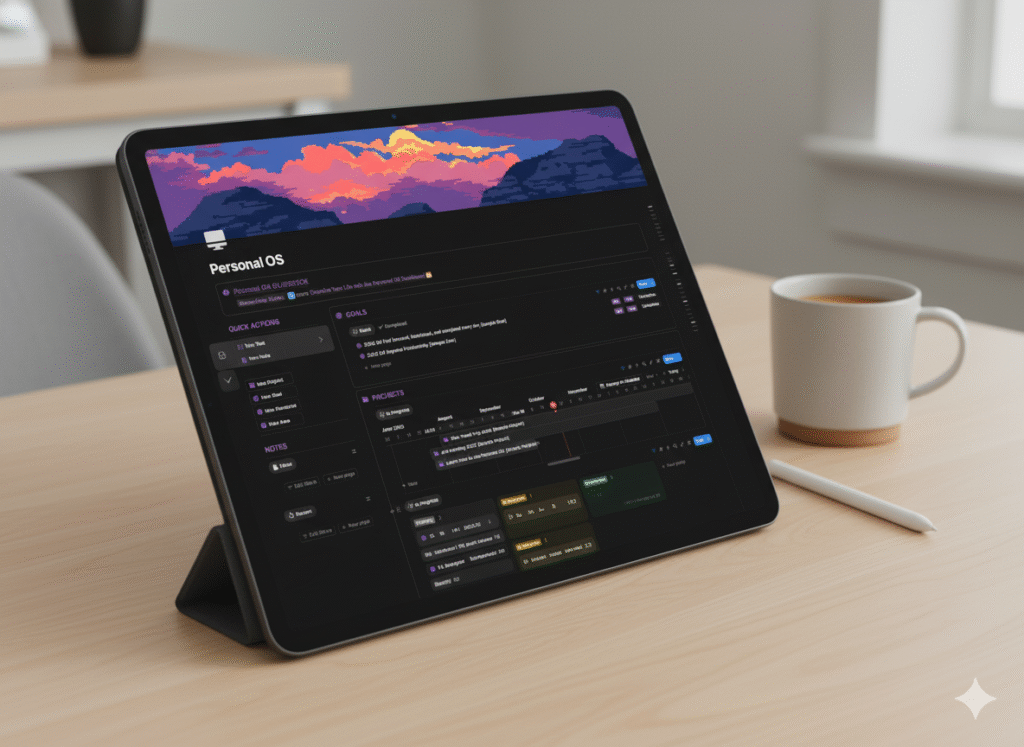
What You'll Find Inside
Quick Capture
Ideas and tasks appear anytime. The built-in Quick Capture system with global navigation buttons lets you record anything instantly.
Task Centre & Project Planner
A clean, intentional layout that shows your project timelines and daily priorities in one clear view.
Life Areas
Manage work and personal life separately with focused views, giving full attention to what matters most in every space.
PARA-Based Knowledge System
Connects your areas, goals, projects, and resources into a single relational database system that grows with you.
Personal OS Mobile
A clear, dedicated space for mobile check-ins and quick navigation, keeping you grounded and on track anywhere.
Step-by-Step Guide
A guidebook and video walkthrough that guide you through every page and workflow.
Why It Works
Built from experience. Designed after years of juggling too many tools and ideas. Grounded in the proven PARA framework and refined through real-world practice, this system connects projects, notes, goals, and daily execution in one seamless flow.
Fewer decisions. Lighter mental load. Steady, meaningful progress.
Build Your System. Design Your Clarity.
Get your Personal Operating System today and experience the clarity, momentum, and direction that come from working within a truly integrated space.
Get PersonalOS →Frequently Asked Questions
What is Personal OS?
A Notion workspace that helps you turn daily chaos into lasting clarity. It centralizes your capture, planning, projects, and reviews so you always know what to focus on next.
What is Notion?
A free all-in-one workspace for notes, tasks, databases, and docs. Personal OS is built inside Notion and works even if you are brand new to it.
How does Personal OS work?
Click Duplicate to add the template to your own Notion workspace. A quick-start guide and inline tips show you how to set it up and make it yours.
What makes Personal OS different?
A thoughtfully engineered system focused on clarity and momentum. Quick Capture for ideas, Task Centre for daily priorities, Project Planner for timelines, and Weekly/Monthly Reviews to keep you on track.
Do I need a paid Notion plan?
No. Personal OS works on the free Notion plan.
Who is Personal OS for?
Creators, professionals, and students who want a calm, intentional system that connects goals to daily actions.
Can I customize it?
Yes. Everything is editable. Rename pages, tweak databases, add properties, and adapt views to your workflow.
Will it work on mobile and tablet?
Yes. Designed with clean views that work on Notion's iOS and Android apps as well as on tablets.
Is this worth the price?
Building a robust system from scratch takes a lot of trial and error. Personal OS gives you a proven structure, thoughtful views, and guidance so you can focus on doing the work that matters.
What is the license?
Your purchase is for personal use across your own devices and workspaces. Please do not share or resell.
Who created Personal OS?
Hi, I'm Roy Pun. I design Notion systems and workflows that help people work with purpose and clarity.
What if I need help?
You'll find a quick-start guide and inline tips inside the template. If you still have questions, contact me through the website.